50 Democracy Glyph Icons: A Visual Toolkit for Civic Storytelling
More Than Symbols: The Language of Participation
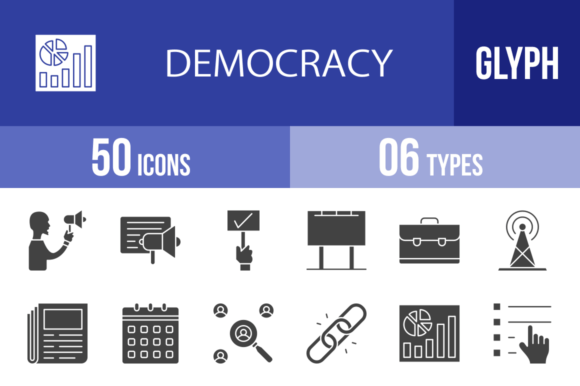
When you’re designing for a cause, a campaign, or a civic-minded brand, finding the right visual vocabulary can be a real hurdle. You need imagery that feels authoritative yet approachable, serious yet hopeful. That’s precisely where a dedicated set like the 50 Democracy Glyph Icons comes into play. This isn't just a random collection of political clip art. It's a cohesive visual system, built on a unified grid, where each icon—from the megaphone of Protest to the balanced scales of Judgment—is crafted to speak the same visual language. The style is clean, modern, and symbolic, stripping complex concepts down to their essential forms. This makes them incredibly versatile for anyone working in advocacy, journalism, education, or community building.
The true power of a well-designed icon set lies in its ability to transcend text. A single glyph can convey Vote, Equality, or Freedom Of Speech instantly, creating an emotional and intellectual connection that paragraphs of copy might struggle to achieve. For a campaign website, these icons become a navigational shorthand. For a presentation on policy, they become anchoring points for key ideas. For a mobile app about civic engagement, they provide an intuitive interface. The personality here is one of clarity and purpose—each design is 100% vector, meaning it scales flawlessly from a tiny smartphone screen to a large-format billboard without losing any crispness. This scalability is non-negotiable for modern, multi-platform projects.
Where These Icons Truly Shine: Practical Applications
Let’s move beyond theory. How would a designer or marketer actually use the 50 Democracy Glyph Icons? The included formats—AI, CDR, EPS, JPG, PNG, SVG—are the industry standard for a reason. A web developer can grab the SVGs for lightning-fast load times and perfect rendering on any device. A print designer can use the vector AI or EPS files to integrate icons seamlessly into brochures, posters, or annual reports. The 20 different PNG sizes are a lifesaver for content creators and bloggers who need quick assets for social media graphics or article headers without firing up complex design software.
Think about a logo design for a new non-profit focused on voter registration. You could combine the Voter and Checkmark (or Agree) icons to create a simple, powerful mark. In editorial design, a magazine article about the Supreme Court could use the corresponding icon as a section divider, adding visual interest and reinforcing the topic. For packaging design of a product that donates proceeds to human rights causes, icons like Human Rights or Equality could subtly communicate the brand’s values. The set’s strength is its breadth; it covers the entire ecosystem of democratic process, from Constitution and Law to Election and Winner, allowing for consistent visual storytelling across an entire campaign or publication.
Integrating Icons into Your Brand and Design System
Choosing to use a specialized icon set like this is a strategic decision. It immediately elevates the professionalism of a project. Instead of mixing and matching icons from different sources with varying line weights, styles, and perspectives, you get a unified family. This consistency is fundamental to building a strong brand identity. When your website, app, social media graphics, and printed materials all use the same visual language, you build recognition and trust with your audience.
Here’s some practical guidance: First, don’t feel you need to use all 50 icons at once. Select a core group that aligns with your project’s key messages. For a Parliament monitoring app, you might focus on National Assembly, Debate, Legislative, and Poll. Second, consider how these icons pair with your chosen typography. Their clean, geometric nature makes them excellent companions for a wide range of sans serif fonts, from modern grotesques to friendly humanist typefaces. They can also provide a crisp counterpoint to a more traditional serif font in an editorial layout. The key is to ensure the icon’s stroke weight and overall scale feel harmonious with your text. Finally, always review the licensing for commercial use. A set designed for this purpose should offer clear, straightforward rights for both personal and commercial projects, giving you the confidence to use these design assets in client work, merchandise, or monetized platforms without legal headaches.
In the crowded digital landscape, having a reliable toolkit of meaningful, high-quality visuals is a significant advantage. The 50 Democracy Glyph Icons provide exactly that—a practical, polished, and deeply relevant resource for anyone looking to communicate ideas about civic life, governance, and public participation with clarity and style.