10 Artificial Intelligence Icons Bundle for Modern Projects
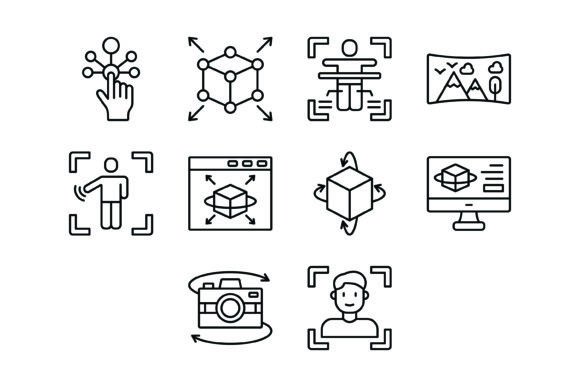
Visual communication is the backbone of modern design, but finding assets that genuinely capture the complexity of emerging technology can be a headache. Generic clip art rarely cuts it when you are trying to build a brand identity around innovation. That is exactly why I want to break down the 10 Artificial Intelligence Icons Bundle. It is not just a random collection of images; it is a cohesive visual system designed to translate complex digital concepts into clean, understandable graphics.
When you first look at this set, the immediate impression is one of clarity and precision. We are talking about 100% vector icons that utilize a line art style. This aesthetic is incredibly popular right now because it feels light, modern, and professional without being distracting. Whether you are a web designer building a dashboard for a startup or a marketer creating a pitch deck for investors, these icons provide the visual shorthand needed to explain everything from Machine Learning to Cloud Computing.
Decoding the Visual Language of the Bundle
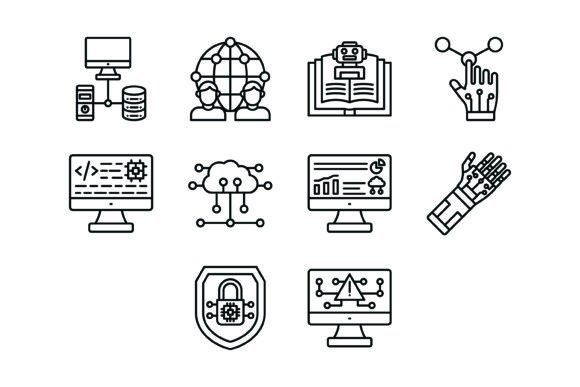
The strength of the 10 Artificial Intelligence Icons Bundle lies in its specific selection of imagery. It covers the essential pillars of the tech industry today. You have the Technology Icon and the Global Network Icon, which are perfect for discussing connectivity and infrastructure. Then, you move into the specifics with the Coding Icon and Data Analytics Icon. For designers working on UI/UX projects, the Interaction Icon is vital for showing user flow and engagement.
What I find particularly useful are the conceptual icons. The Bionic Arm Icon is a classic representation of the bridge between biology and robotics, while the Security Icon addresses the critical need for trust in digital spaces. Even the Warning Icon is included, acknowledging that with great power comes great responsibility—something often discussed in AI ethics. By covering these diverse topics, the bundle ensures you have a complete toolkit for any tech-related editorial design or packaging design.
Practical Applications for Creators and Businesses
How do you actually use these in your day-to-day workflow? The versatility here is the selling point. Because the bundle includes five different file formats—AI, EPS, JPG, PNG with transparent backgrounds, and SVG—you are equipped for almost any platform.
For mobile apps and websites, the SVG format is your best friend. It scales perfectly to any screen resolution without losing quality, ensuring your web design stays crisp on high-definition displays. If you are a content creator or blogger, the transparent PNGs are ready to drop into your articles or social media graphics immediately. You can use the Machine Learning Icon to highlight a section in a blog post about automation, instantly making the text more scannable and engaging.
Entrepreneurs and small business owners will find these assets invaluable for presentation design. Instead of using bullet points to list your software features, imagine using the Cloud Computing Icon next to your cloud storage feature description. It adds a layer of professionalism and helps with visual hierarchy. It is a subtle way to signal to your audience that you understand the tech landscape.
Scalability and Editing: A Designer's Perspective
One of the biggest issues with cheap icon sets is the inability to edit them. You get a flat JPEG, and you are stuck with whatever color scheme the creator chose. That is not the case here. The inclusion of AI and EPS files means this is a true design asset for professionals.
You can easily change the stroke weight or color to match your specific brand identity. If your brand uses a deep navy blue, you can apply that to the Global Network Icon in seconds. This flexibility is crucial for maintaining consistency across your logo design elements and marketing materials. Furthermore, because they are vector-based, they work beautifully in print materials. Whether you are printing a massive banner or a tiny business card, the lines will remain sharp and legible.
Choosing the Right Icon for the Job
Just like choosing a premium font, selecting the right icon requires context. You want the imagery to support your message, not compete with it. If you are working on a project related to safety or data privacy, the Security Icon is the obvious choice. However, if you are designing a tutorial or a "How-To" guide, the Interaction Icon can guide the user's eye effectively.
Think about the personality of your project. The line art style of this bundle is neutral and clean, making it a fantastic companion to almost any typeface. It pairs exceptionally well with a geometric sans serif font for a futuristic look. If you are going for a more established, corporate feel, try pairing these icons with a sturdy serif font. The contrast between the detailed line work of the icons and the solid weight of the text creates a dynamic visual hierarchy.
Integration with Typography and Layout
Icons should never exist in a vacuum. They are part of the broader modern typography landscape. When you integrate the 10 Artificial Intelligence Icons Bundle into your layout, pay attention to alignment and spacing. Because these icons are designed with "maximum usability" in mind, they usually align well with text baselines and grid systems.
Consider using the Coding Icon as a custom bullet point for lists in a tech blog. Or use the Data Analytics Icon as a background watermark to add texture to a white paper. These small touches elevate the perceived value of your content. It shows that you care about the details, which builds trust with your audience.
Ultimately, this bundle is about solving visual problems quickly. It gives you the vocabulary to speak about complex topics like AI and networking without needing to commission custom illustrations for every single project. It is a practical, high-quality toolkit for anyone navigating the digital space today.