Essential VR Icons: A Practical Bundle for Modern Creators
In the rapidly evolving landscape of digital design, the language we use to communicate complex technology needs to be instant and intuitive. Virtual Reality (VR) is no longer a futuristic concept confined to science fiction; it is a tangible industry driving gaming, education, real estate, and social interaction. However, communicating the specific features of a VR application—whether it involves body scanning, 360-degree video, or motion sensors—requires a distinct visual shorthand. This is where the 10 Virtual Reality Outline Icons Bundle steps in, offering a curated set of visual tools designed to bridge the gap between complex tech concepts and user understanding.
As a creative professional, you know that the difference between a polished interface and a confusing one often lies in the details. When users interact with a mobile app or navigate a website, they rely on icons to guide their journey. The 10 Virtual Reality Outline Icons Bundle is designed specifically for this purpose. It moves beyond generic symbols to provide specific, recognizable imagery for the components that make VR experiences work. From the intricate geometry of a 3D model to the immersive scope of a panorama, this bundle offers a visual vocabulary that speaks directly to the modern tech user.
Decoding the Visual Language: What is Included?
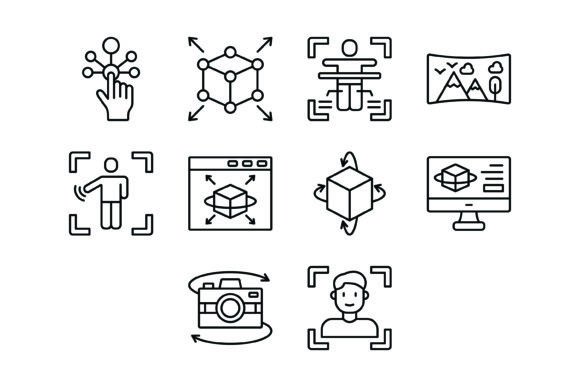
The strength of this collection lies in its specificity. Generic "goggles" icons are no longer sufficient for a mature market. Users and developers need to distinguish between different functionalities, and this bundle addresses that need with ten distinct designs. The set includes:
- Interactive Icon: Represents user engagement and touchpoints.
- 3D Model Icon: Visualizes the construction of digital objects.
- Body Scan Icon: Essential for fitness, health, and avatar creation apps.
- Panorama Icon: Indicates wide-angle or immersive environmental views.
- Motion Sensor Icon: Denotes hardware integration and movement tracking.
- Rendering Icon: Useful for development tools and processing status.
- 360 Degrees Icon: A universal symbol for spherical video or photography.
- 3D Modeling Icon: Distinguishes the creative process from the final model.
- 360 Camera Icon: Specifically targets hardware or recording features.
- Face Scan Icon: Crucial for social VR and identity verification.
Visually, the 10 Virtual Reality Outline Icons Bundle adheres to a clean, line-art aesthetic. This minimalist approach is crucial for modern typography and interface design. Because the icons are vectors, they maintain perfect clarity whether scaled up for a presentation slide or scaled down for a mobile navigation bar. The "outline" style ensures they feel light and unobtrusive, allowing them to sit comfortably alongside both serif fonts for editorial elegance or sans serif fonts for a clean, technical look.
Practical Applications Across Industries
The versatility of these design assets extends far beyond just coding a VR headset interface. If you are a web designer building a landing page for a tech startup, these icons serve as perfect visual anchors for feature lists. Instead of a wall of text describing "immersive rendering," you can pair the paragraph with the Rendering Icon to break up the content and improve readability.
For marketers and entrepreneurs, visual hierarchy is key to conversion. When creating pitch decks or social media graphics, the 10 Virtual Reality Outline Icons Bundle helps in creating a professional brand identity. Consistency in iconography signals reliability to potential investors or customers. For example, a packaging design for a new piece of VR hardware could use the Motion Sensor Icon on the box to quickly highlight a key selling point without cluttering the design with text.
Content creators and bloggers covering the tech industry will also find immense value here. Instead of relying on generic stock photos that often look dated, using these vector icons within your editorial design creates a cohesive, modern aesthetic. They are particularly useful in logo design concepts for VR-focused companies, providing a foundational shape that can be customized and stylized to fit a specific vision.
Strategic Design and Implementation
When integrating the 10 Virtual Reality Outline Icons Bundle into your projects, consider the principles of modern typography. Just as you would carefully select a display font for a headline, you must treat icons with the same respect for hierarchy and spacing. Because these are 100% vector icons available in AI, EPS, SVG, JPG, and PNG formats, they are incredibly easy to edit.
A practical tip for graphic designers is to match the stroke weight of the icons with the x-height or stroke weight of your chosen typeface. If you are using a handwritten font or a script font for a more casual, creative project, you might want to soften the corners of these icons slightly in Adobe Illustrator to match the fluidity of the text. Conversely, if your project utilizes a rigid, geometric sans serif font, the icons will likely fit perfectly right out of the box.
The file formats included are optimized for every stage of the design process. The SVG format is particularly vital for web design, ensuring that the icons load quickly and look crisp on any screen resolution, which is a significant factor for SEO and user experience. The transparent PNGs are ready to drop into presentations or video edits, saving you the time of manually removing backgrounds.
Ultimately, the goal of any design asset is to solve a problem. The 10 Virtual Reality Outline Icons Bundle solves the problem of visualizing abstract, high-tech concepts in a way that is accessible and aesthetically pleasing. By incorporating these icons, you ensure that your projects—whether commercial or personal—communicate with the clarity and professionalism that today's digital landscape demands.